I tried configuring a web font in WordPress. This time I used Kosugi Maru from Google Fonts.
The theme for this site is Cocoon Child, but I think the basics are the same for other themes.
No additional plugins are required.
Configuration
- Open Appearance -> Customize -> Additional CSS from the dashboard.
- There is an input area on the left, so add the font settings there.
- A preview is displayed as soon as you enter it, which makes it easy to see what changed.
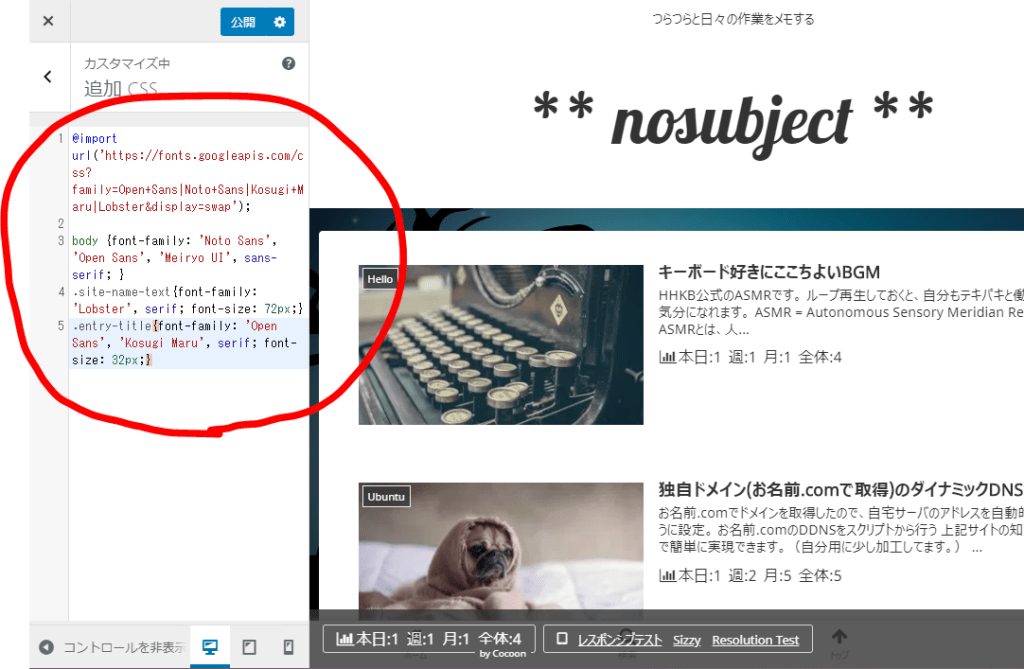
Configuration Example
This time I configured it as follows.
The only key points are "fetch the font with @import" and "apply it to the style with font-family:", so the setup is simple.
/* Webフォントをインポートする */
@import url('https://fonts.googleapis.com/css?family=Kosugi+Maru|Lobster&display=swap');
/* サイト全体のフォントを指定 */
body {font-family: ‘Kosugi Maru’, sans-serif; }
/* タイトルなどに個別のフォントを指定 */
.site-name-text{font-family: ‘Lobster’, serif; font-size: 72px;}
.entry-title{font-family: ‘Kosugi Maru’, serif; font-size: 32px;}
How to Find Web Fonts
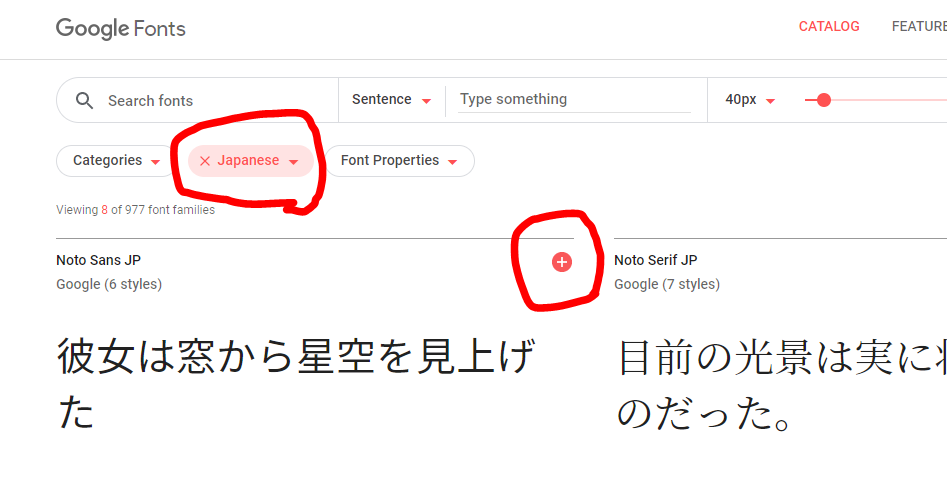
Google Fonts has many fonts you can use, so search there. If you are looking for fonts that support Japanese, select Japanese under Language to filter them. Choose one that looks good and press the plus button.
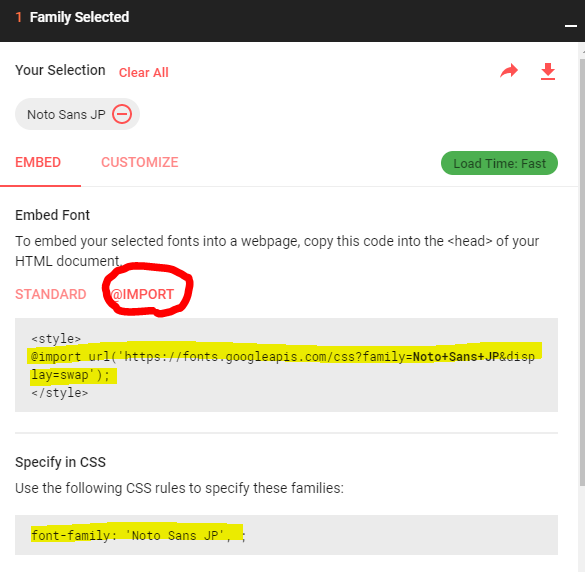
A dialog will appear. Click the area labeled @IMPORT, and it will show an example of what to write in CSS, so copy and use it. If selecting multiple fonts, press the plus button for several fonts in a row, and it will show an example for using multiple fonts.

If you search around, you can find a lot of free Japanese fonts.
Test Environment
WordPress 5.3.2 (Cocoon Child theme)