I use the Cocoon Child theme. I did not know how to put the Google Adsense code inside the <head> tag, so I looked it up.
*Update: You can now change this from the settings screen, so I added notes about that too.
Configuration
- In the WordPress dashboard, open Appearance -> Theme Editor.
- From the theme file list on the right, select tmp-user -> head-insert.php.
- At the bottom there is a line that says <? //全ての訪問者をカウントする場合は以下に挿入 ?>. Paste the code you want to insert below that line.
- Press the Update File button at the bottom of the screen, and you are done.
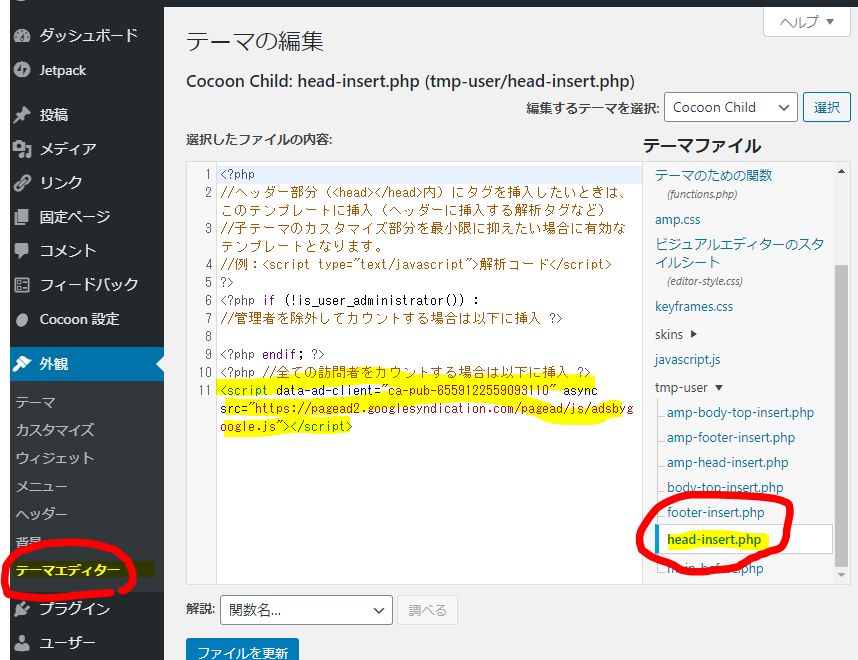
head-insert.php Configuration Example
<?php
//ヘッダー部分(<head></head>内)にタグを挿入したいときは、このテンプレートに挿入(ヘッダーに挿入する解析タグなど)
//子テーマのカスタマイズ部分を最小限に抑えたい場合に有効なテンプレートとなります。
//例:<script type="text/javascript">解析コード</script>
?>
<?php if (!is_user_administrator()) :
//管理者を除外してカウントする場合は以下に挿入 ?>
<?php endif; ?>
<?php //全ての訪問者をカウントする場合は以下に挿入 ?>
<script data-ad-client=“ca-pub-XXXXXXX” async src=“https://pagead2.googlesyndication.com/pagead/js/adsbygoogle.js"></script>
Update
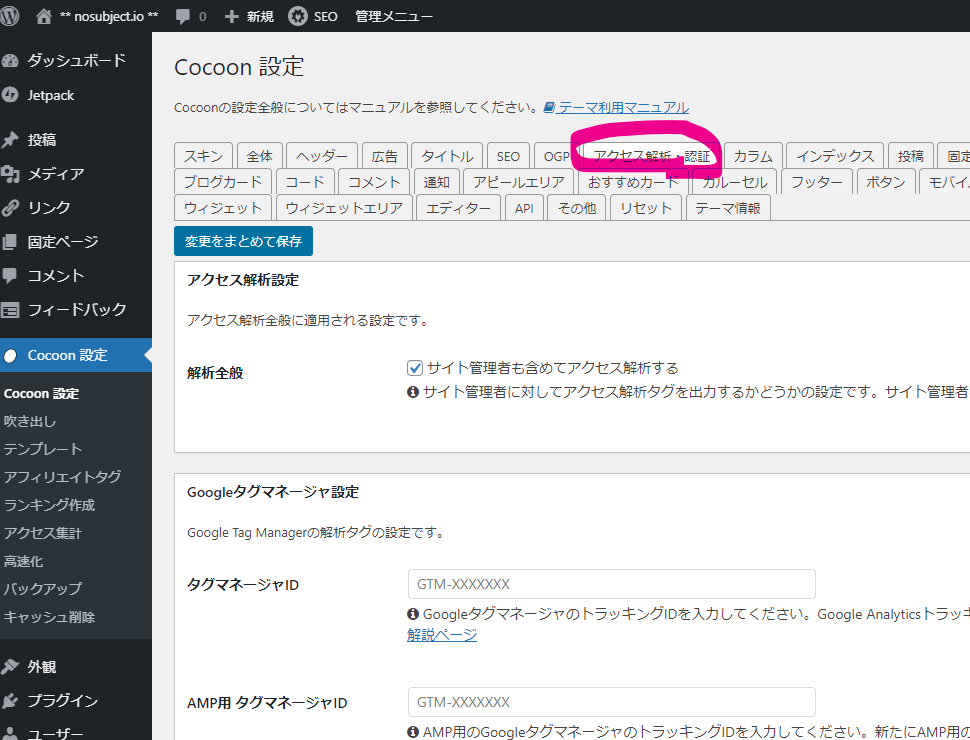
Recent versions of Cocoon let you add this from the settings screen.
Open the "Access Analytics / Authentication" tab in Cocoon Settings.
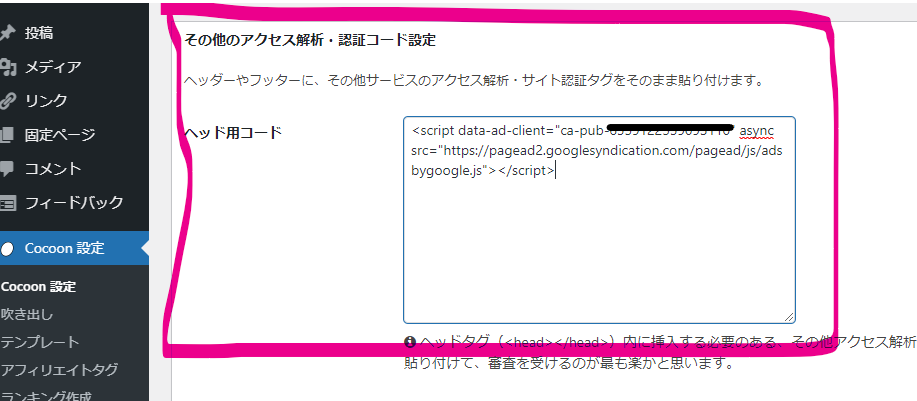
If you scroll down the screen, there is a block called "Other access analytics / authentication code settings". You can configure it by writing in "Head code" inside that block.

Me
Changing head-insert.php is the old way.