I use a PIN on Windows 11. By default, the minimum length was 6 digits, so I tried changing it to 4 digits.
Test Environment
OS: Windows 11 Pro 22H2 22621.2070
CPU: Core i7 13700
RAM: 64 GB
Configuration
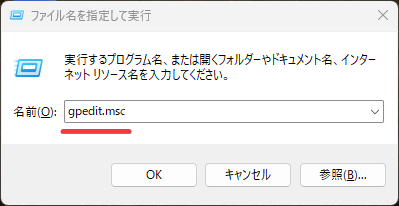
Press Win + R (Run), enter gpedit.msc, and open the Local Group Policy Editor.
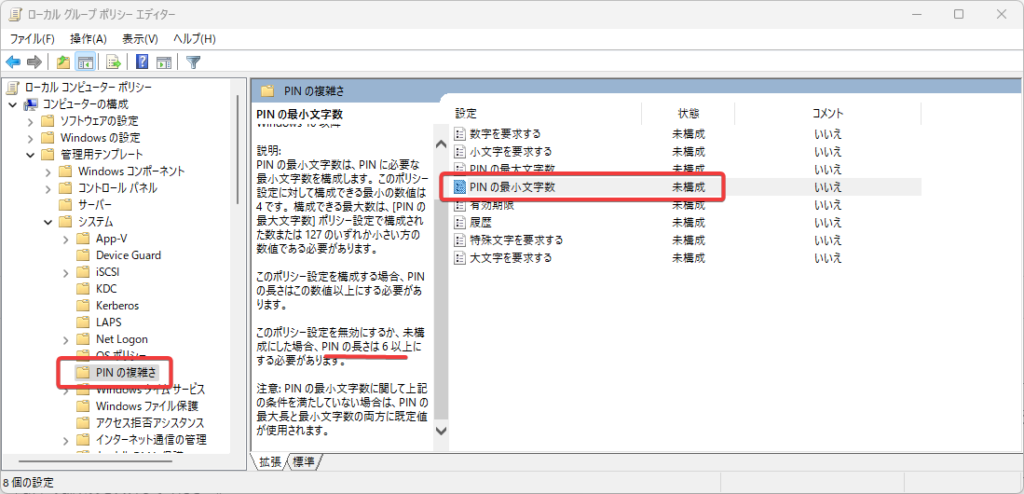
From the tree on the left, select Computer Configuration -> Administrative Templates -> System -> PIN Complexity. The Minimum PIN length item shown on the right is the setting for the number of PIN digits.
By default, it is Not configured (= 6 or more digits).
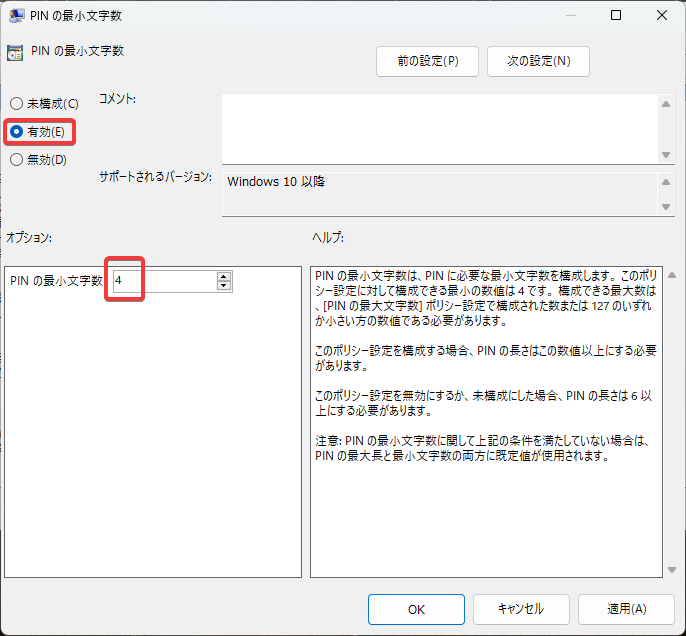
Double-click it to change the setting. When you change it from Not configured to Enabled, you can change the minimum PIN length. It cannot be set to fewer than 4 digits.
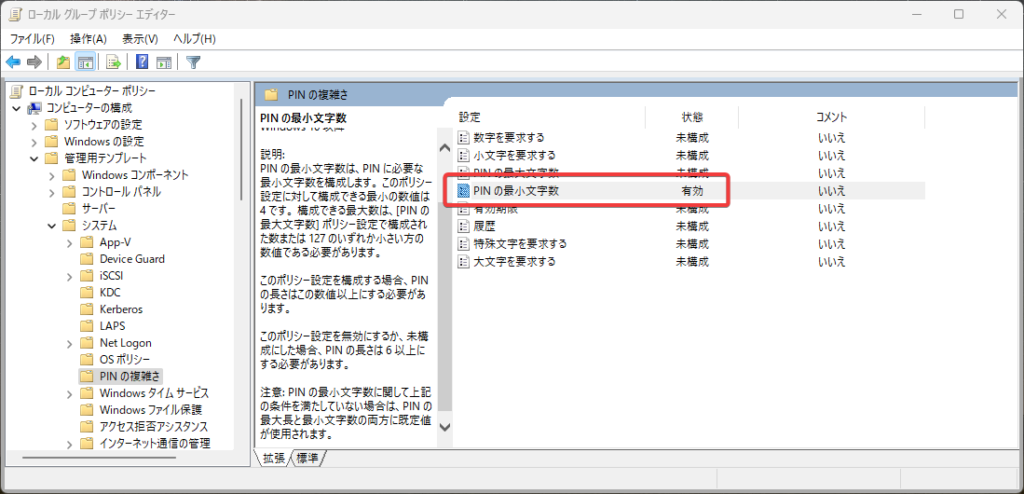
Press OK to save, and the setting is enabled. The setting is applied after restarting Windows.
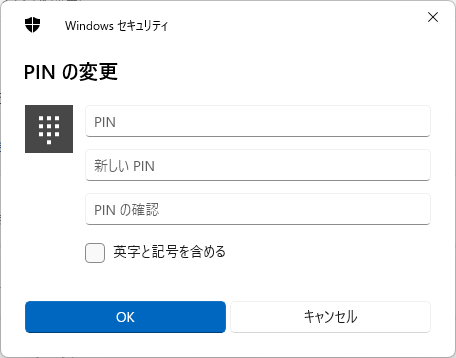
After restarting Windows, go to Settings -> Accounts -> Sign-in options -> PIN (Windows Hello), and you will be able to set a 4-digit PIN.
Reference Link
Issue where the "PIN Complexity" policy setting does not work on Win11 22H2
The bug introduced there appears to be fixed now. Good.

The number of PIN digits affects security, so I recommend using an appropriate length for your PC usage environment.