This is a note from installing WSL and Docker Desktop in a Windows 11 Pro environment.
Overview
When using Docker containers on Windows, I use Docker Desktop. For paid licensing and various other reasons, it seems people are moving away from Docker, but it is still easy and convenient when you want to verify something quickly.
On Windows 10, setting up WSL took a bit of work, but recent Windows 11 versions seem to install it quickly, so I wanted to try it.
The procedure is to install Ubuntu on WSL2 and then integrate Docker Desktop with it.
Test Environment
Windows 11 Pro (22H2) OS build: 22621.1992 RAM: 32.0GB CPU: 13th Gen Intel(R) Core(TM) i7-13700 2.10 GHz
Ubuntu 22.04 LTS (WSL default version)
Docker Desktop 4.21.1 (114176)
Install Ubuntu on WSL
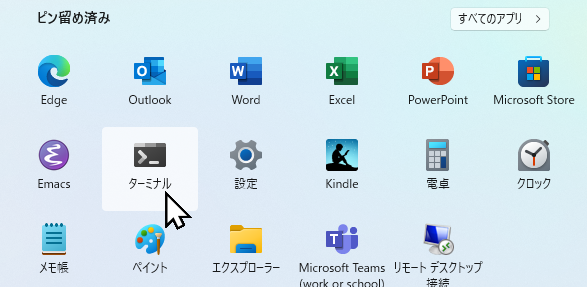
Operate from the Windows 11 terminal.
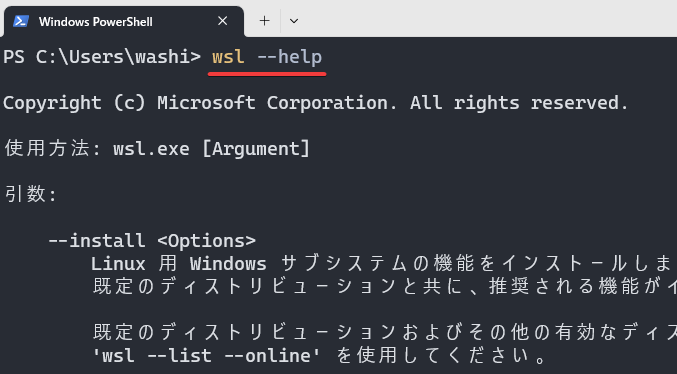
The wsl command can be used without doing anything.
Looking through the help, you can see that the Linux subsystem can be installed with the --install option. Convenient.
使用方法: wsl.exe [Argument]
引数:
--install <Options>
Linux 用 Windows サブシステムの機能をインストールします。オプションが指定されていない場合は、
既定のディストリビューションと共に、推奨される機能がインストールされます。
既定のディストリビューションおよびその他の有効なディストリビューションの一覧を表示するには、
'wsl --list --online' を使用してください。
オプション:
--distribution, -d [Argument]
ダウンロードしてインストールするディストリビューションを名前で指定します。
引数:
有効なディストリビューションの名前 (大文字と小文字は区別されません)。
例:
wsl --install -d Ubuntu
wsl --install --distribution Debian
--inbox
Microsoft Store で利用可能なバージョンではなく、オプションの Windows 機能をインストールします。
--enable-wsl1
Microsoft Store バージョンで WSL1 サポートを有効にします。
--no-distribution
ディストリビューションをインストールしません ( --distribution と一緒には使用できません)。
--no-launch, -n
インストール後にディストリビューションを起動しません。
--web-download
Microsoft Store ではなく、インターネットから WSL の最新バージョンをダウンロードします。
--list, -l [Options]
ディストリビューションを一覧表示します。
オプション:
--online, -o
'wsl --install' でのインストールに利用できるディストリビューションの一覧を表示します。
--status
Linux 用 Windows サブシステムの状態を表示します。
--help
使用に関する情報を表示します。</code></pre>
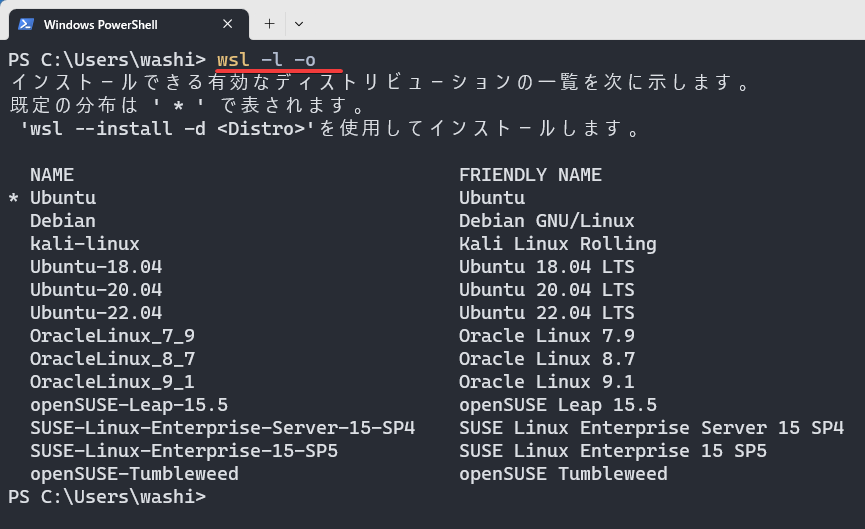
If you run the command with the list option, you can see the list of distributions that can be installed online. "Default distribution" probably means the default distribution. The Ubuntu entry without a version specified seems to be the default.
Ubuntu Ubuntu
Debian Debian GNU/Linux
kali-linux Kali Linux Rolling
Ubuntu-18.04 Ubuntu 18.04 LTS
Ubuntu-20.04 Ubuntu 20.04 LTS
Ubuntu-22.04 Ubuntu 22.04 LTS
OracleLinux_7_9 Oracle Linux 7.9
OracleLinux_8_7 Oracle Linux 8.7
OracleLinux_9_1 Oracle Linux 9.1
openSUSE-Leap-15.5 openSUSE Leap 15.5
SUSE-Linux-Enterprise-Server-15-SP4 SUSE Linux Enterprise Server 15 SP4
SUSE-Linux-Enterprise-15-SP5 SUSE Linux Enterprise 15 SP5
openSUSE-Tumbleweed openSUSE Tumbleweed
Install Ubuntu. A confirmation prompt for administrator privileges is displayed, and after that it installs automatically.
PS C:\Users\washi>wsl --install -d Ubuntu
要求された操作には管理者特権が必要です。
インストール中: Linux 用 Windows サブシステム
Linux 用 Windows サブシステム はインストールされました。
インストール中: Ubuntu
Ubuntu はインストールされました。
要求された操作は正常に終了しました。変更を有効にするには、システムを再起動する必要があります。
When installation finishes, restart Windows.
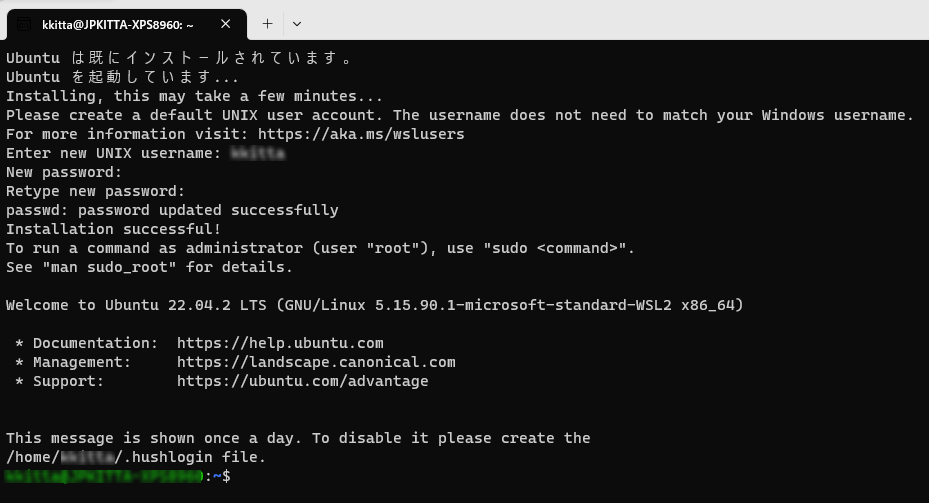
After the restart, Ubuntu started automatically. On the first startup, enter the username and password to use with Ubuntu. Ubuntu 22.04 LTS is installed. Easy.
*Update
When I ran this on another PC, Ubuntu did not start after installation and showed the following error.
WslRegisterDistribution failed with error: 0x800701bc
WSL needed to be updated. After updating, running wsl --install -d Ubuntu again made it start.
>wsl --update
インストール中: Linux 用 Windows サブシステム
Linux 用 Windows サブシステム はインストールされました。
Install Docker Desktop
Install Docker Desktop. Just download the installer from the official site and run it, so I will omit the details.
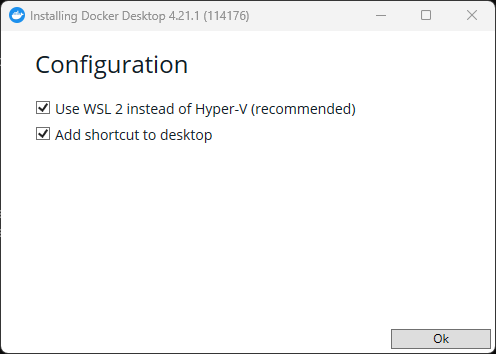
By default, it uses WSL2 integration, so you can proceed as-is. This is easy too. At the end of the installer, a button called "Close and Start" appears, but be careful: clicking it immediately restarts the OS.
Docker Desktop can also be installed with winget.
>winget install Docker.DockerDesktop
Try a Hello Container World
When you restart, Docker Desktop starts. After agreeing to the license terms, you can use it.
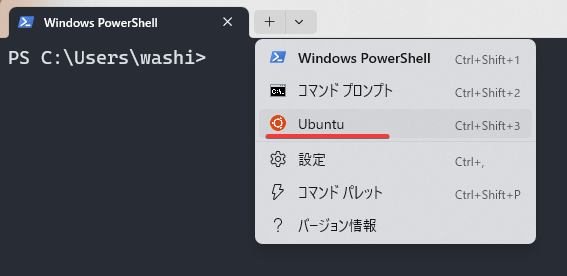
To be safe, confirm that containers work too. You can access the installed Ubuntu from Terminal.
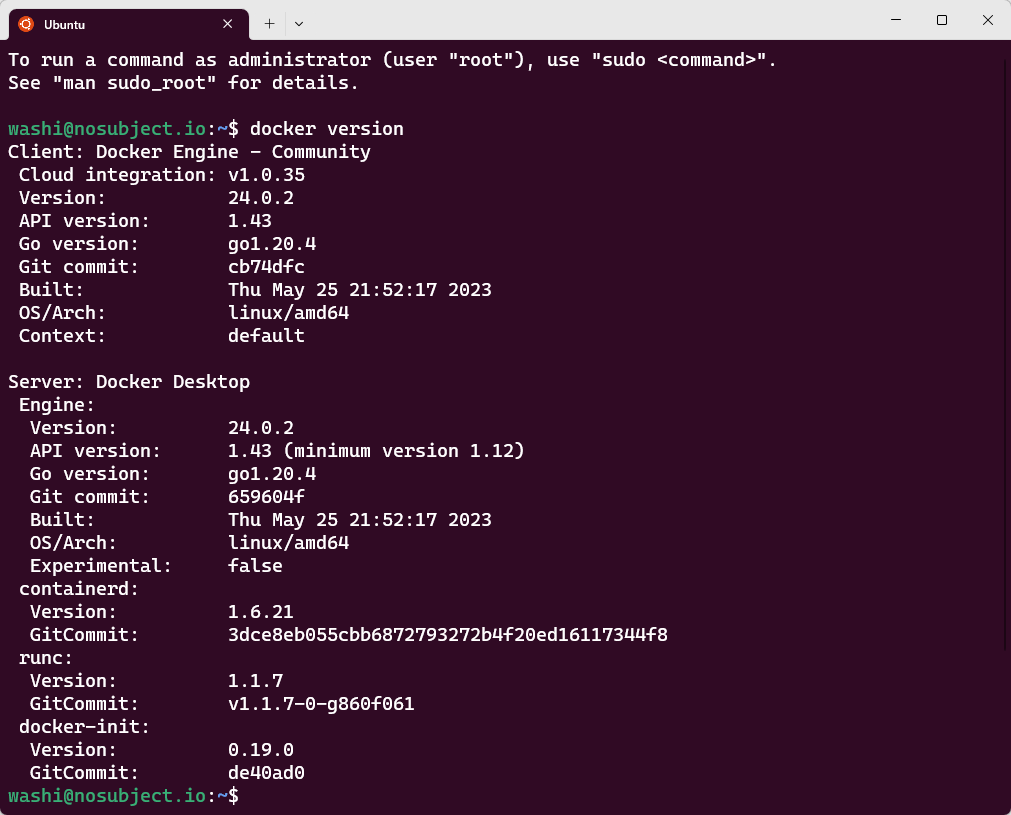
The docker command can also be used normally from Ubuntu.