This is a memo from researching what to do when I wanted to run a home server in an environment with IPv6 but could not open arbitrary ports.
If you want to run a mail server, web server, or similar, the easiest approach was to create a separate PPPoE session and expose that.
Test Environment
- docomo Hikari
- Provider: GMO Tokutoku BB
- HGW: PR-S300HI
- Wi-Fi router: WXR-1750DHP2
- OS: Ubuntu 19.10 EOAN
$ cat /etc/lsb-release
DISTRIB_ID=Ubuntu
DISTRIB_RELEASE=19.10
DISTRIB_CODENAME=eoan
DISTRIB_DESCRIPTION="Ubuntu 19.10"
Install PPPoE
$ sudo apt-get install -y pppoe pppoeconf
Reading package lists... Done
Building dependency tree
Reading state information... Done
The following additional packages will be installed:
  ifupdown
Suggested packages:
  rdnssd xdialog
The following NEW packages will be installed:
  ifupdown pppoe pppoeconf
0 upgraded, 3 newly installed, 0 to remove and 1 not upgraded.
Need to get 149 kB of archives.
After this operation, 632 kB of additional disk space will be used.
Get:1 http://archive.ubuntu.com/ubuntu eoan/universe amd64 ifupdown amd64 0.8.35ubuntu1 [60.5 kB]
Get:2 http://archive.ubuntu.com/ubuntu eoan/universe amd64 pppoe amd64 3.12-1.2ubuntu2 [73.2 kB]
Get:3 http://archive.ubuntu.com/ubuntu eoan/universe amd64 pppoeconf all 1.21ubuntu1 [14.8 kB]
Fetched 149 kB in 2s (77.3 kB/s)
Selecting previously unselected package ifupdown.
(Reading database ... 155407 files and directories currently installed.)
Preparing to unpack .../ifupdown_0.8.35ubuntu1_amd64.deb ...
Unpacking ifupdown (0.8.35ubuntu1) ...
Selecting previously unselected package pppoe.
Preparing to unpack .../pppoe_3.12-1.2ubuntu2_amd64.deb ...
Unpacking pppoe (3.12-1.2ubuntu2) ...
Selecting previously unselected package pppoeconf.
Preparing to unpack .../pppoeconf_1.21ubuntu1_all.deb ...
Unpacking pppoeconf (1.21ubuntu1) ...
Setting up pppoe (3.12-1.2ubuntu2) ...
Setting up ifupdown (0.8.35ubuntu1) ...
Creating /etc/network/interfaces.
Created symlink /etc/systemd/system/multi-user.target.wants/networking.service → /lib/systemd/system/networking.service.
Created symlink /etc/systemd/system/network-online.target.wants/networking.service → /lib/systemd/system/networking.service.
Setting up pppoeconf (1.21ubuntu1) ...
Processing triggers for man-db (2.8.7-3) ...
Processing triggers for mime-support (3.63ubuntu1) ...
Processing triggers for systemd (242-7ubuntu3.2) ...
Configure and Connect
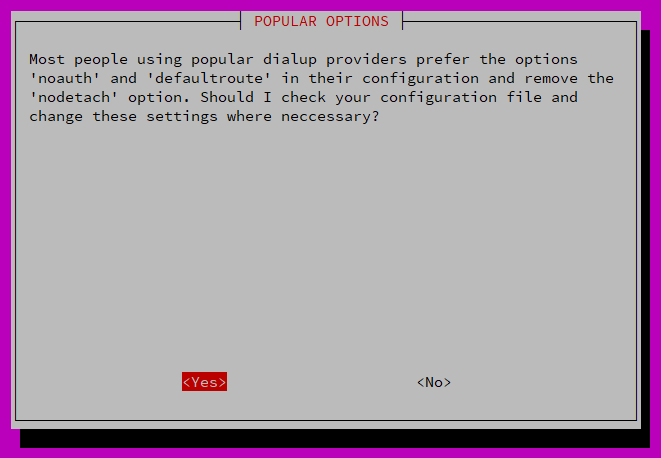
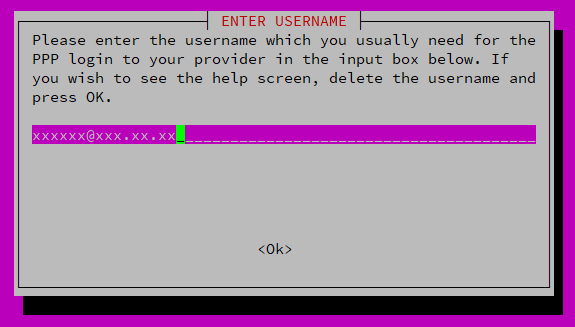
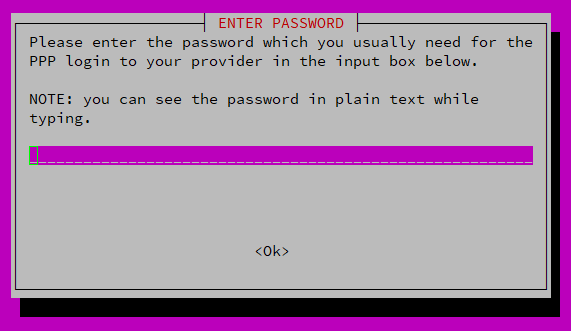
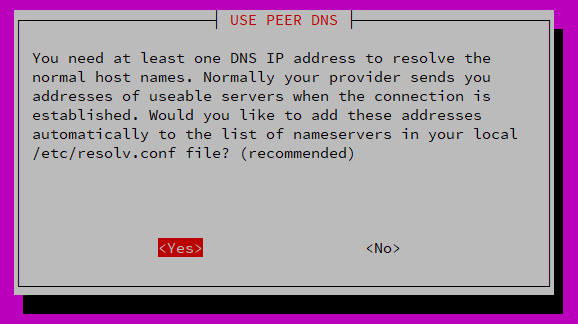
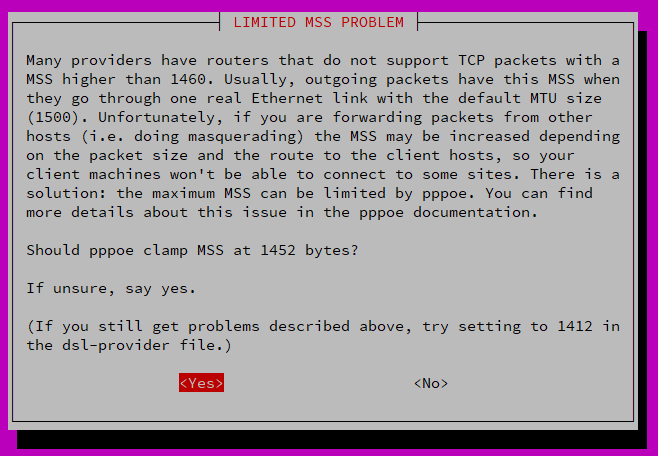
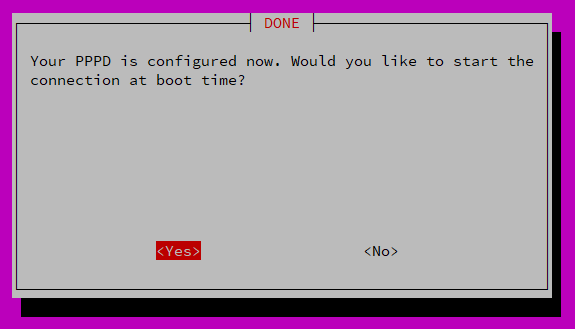
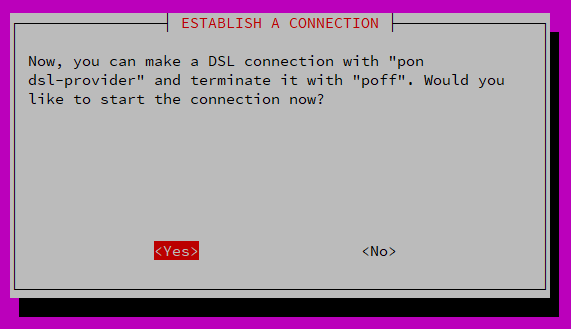
With one command, it handles connection settings, the first connection attempt, and automatic execution on reboot.
$ sudo pppoeconf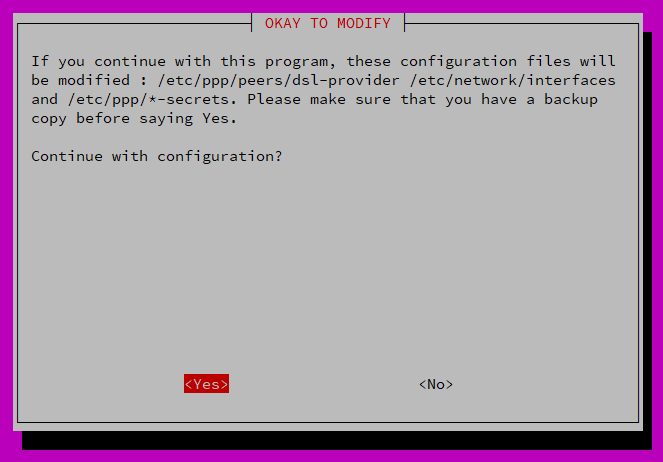
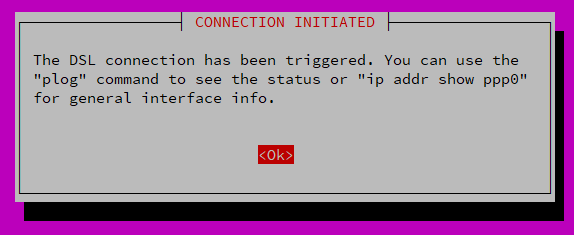
You can check the status with the ip command.
$ ip addr show ppp0
15: ppp0: <POINTOPOINT,MULTICAST,NOARP,UP,LOWER_UP> mtu 1454 qdisc fq_codel state UNKNOWN group default qlen 3
    link/ppp
    inet XXX.XX.XX.XX peer XXX.XXX.XXX.XX/32 scope global ppp0
       valid_lft forever preferred_lft forever
Now you can open ports using the IPv4 address assigned to ppp0.
At this point, the filters on the bridged HGW or Wi-Fi router no longer matter, and this address becomes the target for external attacks. Configure SSH, the firewall, and similar settings carefully.
To disconnect, run the poff command.
$ sudo poff
If It Does Not Work, Check the Bridge Settings
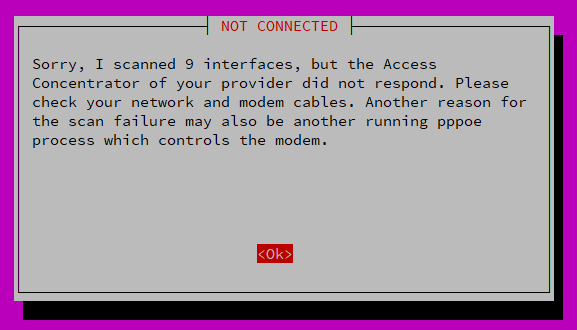
NOT CONNECTED
Sorry, I scanned 9 interfaces, but the Access Concentrator of your provider did not respond. Please check your network and modem cables. Another reason for the scan failure may also be another running pppoe process which controls the modem.
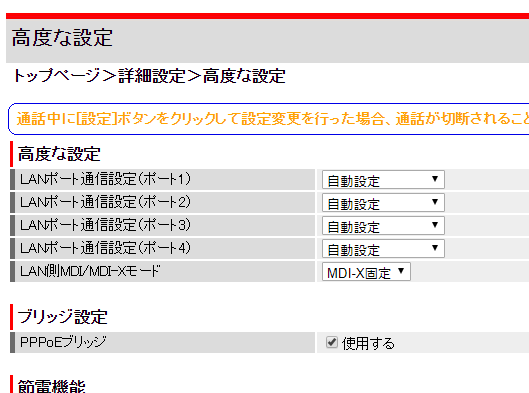
If bridge settings are not enabled on the HGW and Wi-Fi router, you cannot create a separate PPPoE session from inside the LAN.
For PR-S300HI, there is a PPPoE bridge checkbox at Top page -> Detailed settings -> Advanced settings.
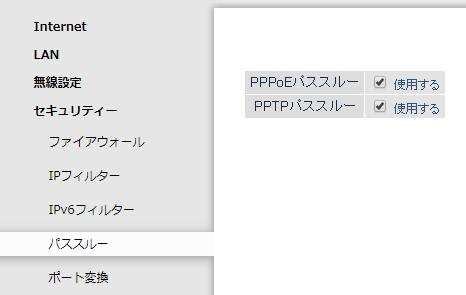
The Wi-Fi router has a similar setting.
For WXR-1750DHP2, there is a PPPoE passthrough checkbox under Detailed settings Security -> Passthrough.

Do not forget the firewall settings.
I found a very good article, so I am adding the link.
How to Connect to IPv4 PPPoE from a v6 Plus Environment with Raspberry Pi 4