Overview
The Raspberry Pi GPU memory is shared with system memory.
I checked how to change the amount of memory allocated to the GPU.
Test Environment
Raspberry Pi 4 with 8GB RAM, running Ubuntu.
$ cat /proc/device-tree/model
Raspberry Pi 4 Model B Rev 1.4
$  lsb_release -a
No LSB modules are available.
Distributor ID: Ubuntu
Description:    Ubuntu 21.04
Release:        21.04
Codename:       hirsute
Configuration
Check the current GPU memory size. By default, the allocation to the GPU seems to be 76MB.
There is plenty of system memory available, so I will increase the GPU allocation.
$ vcgencmd get_mem gpu
gpu=76M
$ free -h
total        used        free      shared  buff/cache   available
Mem:          7.6Gi       759Mi       6.3Gi        20Mi       603Mi       6.6Gi
Swap:            0B          0B          0B
To increase the memory allocated to the GPU, set any value in the config file.
I found information saying that allocating too much (600MB or more) can be unstable, so I set it to 512MB here.
$ sudo vi /boot/firmware/config.txt
[all]
…
(途中略)
8< 8< 8< snip 8< 8< 8<
下の方に追記する
How much Memory(MB) should the GPU have?
gpu_mem=512
After changing the config.txt file and rebooting the system, check the GPU memory setting.
The setting has taken effect, and total memory has decreased slightly.
$ vcgencmd get_mem gpu
gpu=512M
$ free -h
              total        used        free      shared  buff/cache   available
Mem:          7.2Gi       712Mi       5.9Gi        28Mi       651Mi       6.2Gi
Update: For Raspberry Pi OS
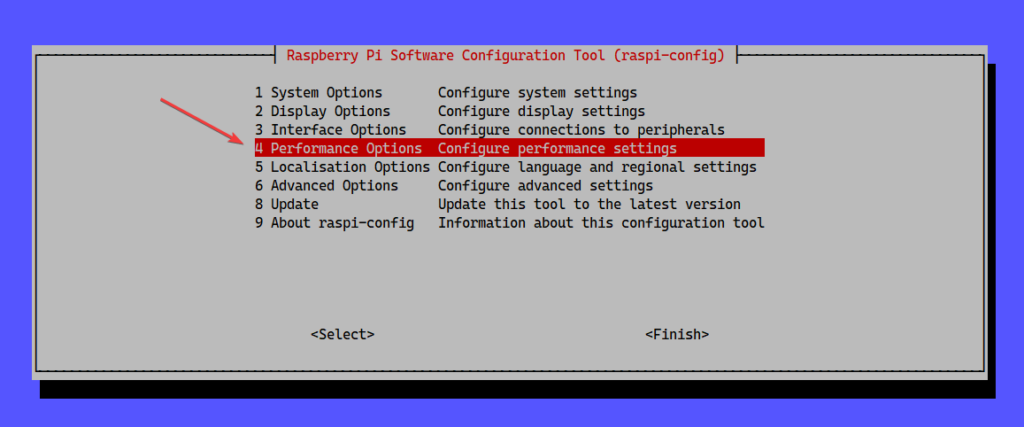
For Raspberry Pi OS, you can change this with the Raspberry Pi Software Configuration Tool (raspi-config).
$ sudo raspi-config4 Performance Options Configure performance settings
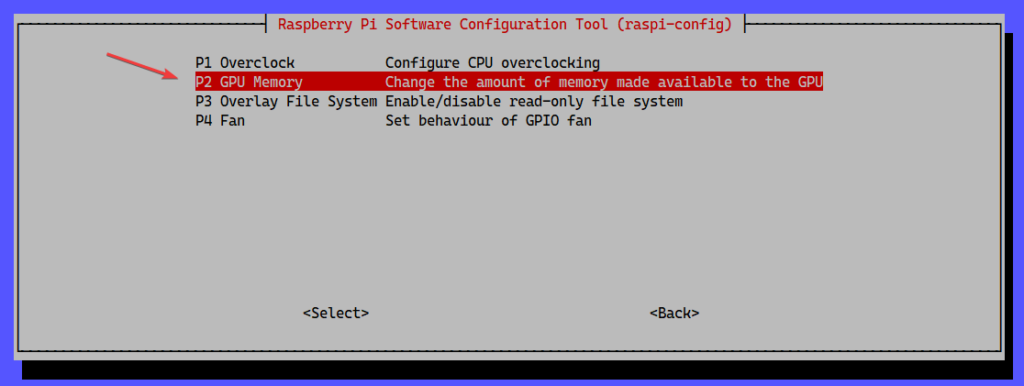
P2 GPU Memory Change the amount of memory made available to the GPU
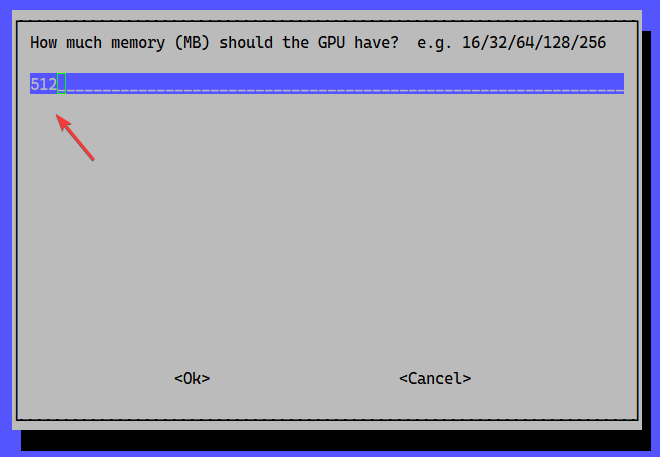
Enter the number you want to set, for example in "How much memory (MB) should the GPU have? e.g. 16/32/64/128/256". After selecting OK, you return to the first screen, so select Finish.
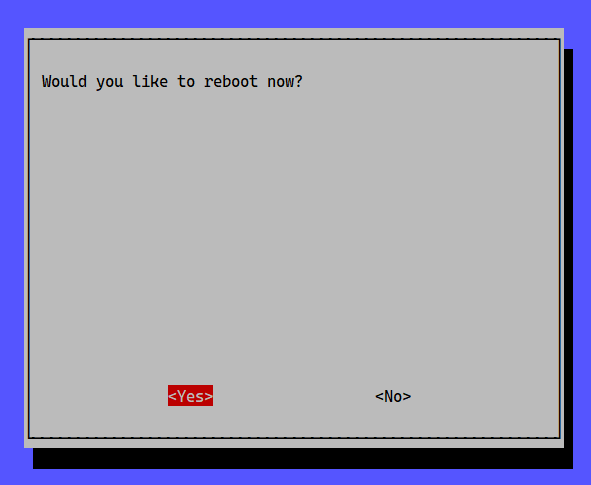
When you select Finish at the end, it asks whether to reboot, so select Yes and reboot.
After rebooting, the setting is changed. The configured value is written to /boot/config.txt.
You can also change the setting by directly editing the text and rebooting.
$ vcgencmd get_mem gpu
gpu=512M
設定を変更する
$ sudo vi /boot/config.txt
#一番下に追記
gpu_mem=512
#リブート
$ sudo reboot
再起動後
$ vcgencmd get_mem gpu
gpu=512M

Was recorded video encoding unstable because the GPU memory allocation was too small?
With this setting, I might try hardware encoding again.