
Microsoft Edge became Chromium-based, so I have been trying it out. For now, searching with Bing feels odd to me, so this is about changing the default search engine from Bing to Google.
Test Environment
Windows 10 Pro 2004 OS build 19041.388
Microsoft Edge version 84.0.522.44 (Official build) (64-bit)
Steps
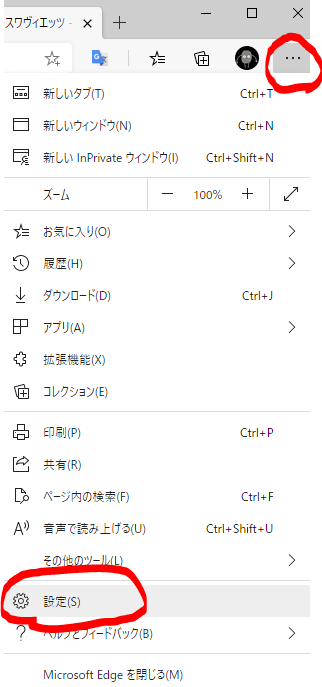
Open Settings from the menu in the upper-right corner of Edge.
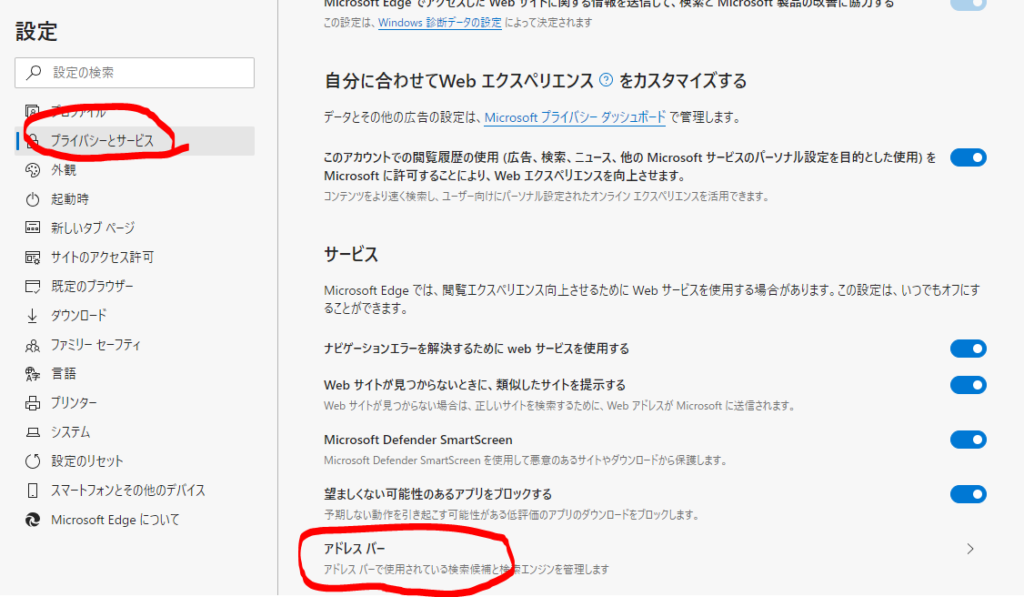
Select Privacy and services, then click Address bar at the very bottom of the right pane.
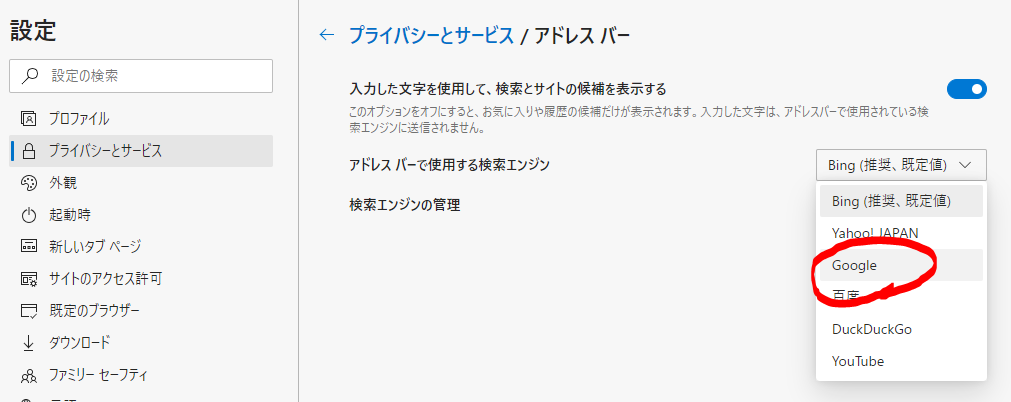
Click the list that says Bing (recommended, default), and change it to Google.
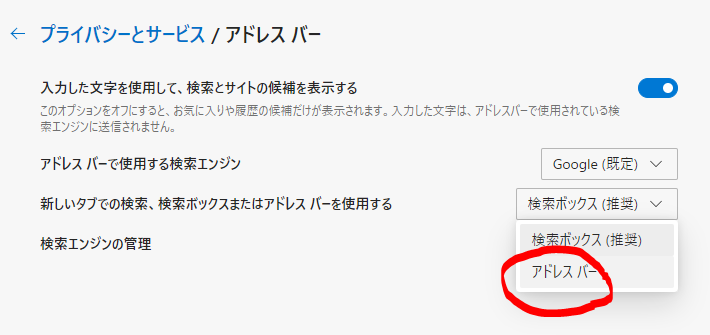
After changing the search engine to Google, an option called "Search on new tabs uses search box or address bar" appears, so change it to "Address bar". If you do not change this, the search box on new tabs will still use Bing, so set this at the same time.

They probably put it in a slightly hard-to-find place because they do not want people to change it.