I run containers in a Docker Desktop environment, but they run with less memory than the physical memory available, so I tried increasing the memory allocation. This applies only to environments using the WSL 2 backend.
Overview
Docker Desktop is affected by WSL2's memory limit. On Windows 10, the default memory allocated to WSL2 appears to be 80% of the host memory. When I checked my own environments, they looked like this.
| Host PC Memory | WSL Memory |
| Windows10 64GB | 50GB |
| Windows10 128GB | 100GB |
| Windows11 16GB | 8GB |
Checking the memory capacity in Ubuntu on WSL looks like this. (Win10 environment with 64GB RAM)
~$ free
              total        used        free      shared  buff/cache   available
Mem:       52496528      110552    52281920          68      104056    51956912
Swap:      13631488           0    13631488
If you increase WSL2's memory, the memory available to allocate to Docker Desktop also increases.
Test Environment
Windows 10 Pro (21H2)
OS build: 19044.1741
Installed RAM: 64.0GB
Docker Desktop 4.8.2 (79419) WSL 2 backend
Configuration
When running Docker Desktop in a WSL2 environment, the settings screen shows that resources are managed by Windows, as shown below.
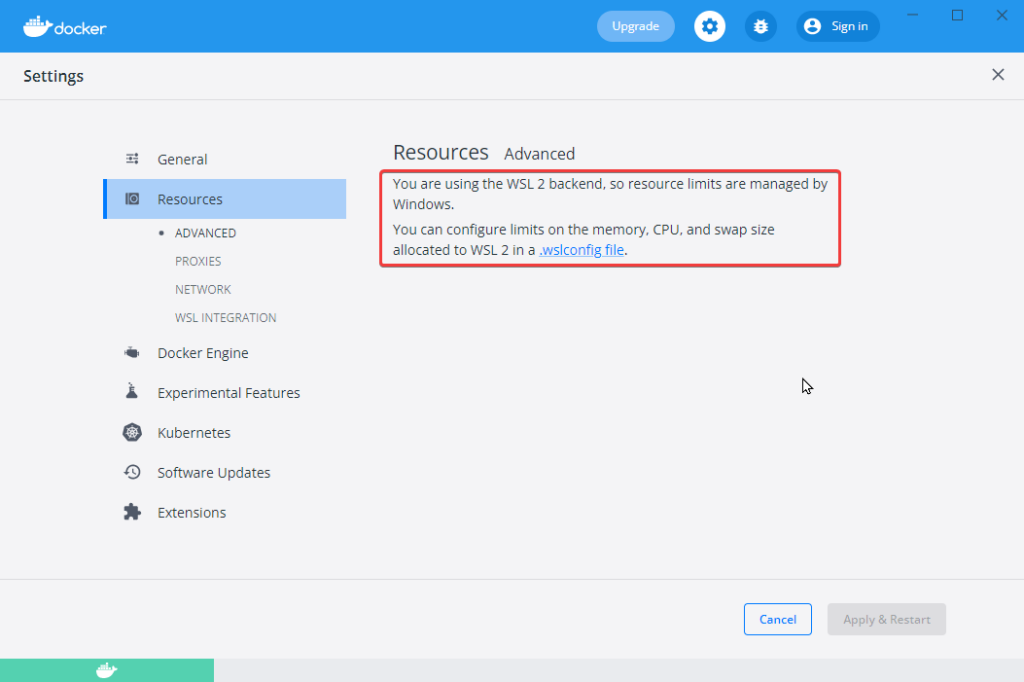
Specifically, you create a file named .wslconfig and write the settings there.
.wslconfig
Stored in the
%UserProfile%directory.Used to configure settings globally across installed Linux distributions running as WSL 2 versions.
Can only be used for distributions run by WSL 2. Distributions running as WSL 1 are not running as virtual machines, so they are not affected by this configuration.
To go to the
Source: https://docs.microsoft.com/ja-jp/windows/wsl/wsl-config#wslconfig%UserProfile%directory, usecd ~in PowerShell to access your home directory, which is usually your user profile atC:\Users\<UserName>, or open Windows Explorer and enter "%UserProfile%" in the address bar. The directory path will appear as something likeC:\Users\<UserName>\.wslconfig.
If you want to set memory limits per WSL distribution, it looks like you can configure each distribution's /etc/wsl.conf. (Untested)
Settings
Write the settings in the .wslconfig file like this. I also configured it not to use swap.
[wsl2]
memory=60GB
swap=0
You can also configure settings that reduce memory capacity and limit CPU resources.
[wsl2]
memory=16GB
processors=4
swap=0
Applying the Settings
The settings take effect if you restart Windows, but they also apply if you shut down and restart WSL. To be safe, quit Docker Desktop before shutting down WSL.
>wsl --shutdownAfter shutting it down, access Ubuntu on WSL again and check the memory capacity. You can confirm that the settings have been applied.
~$ free
              total        used        free      shared  buff/cache   available
Mem:       61726860      107372    61550672          68       68816    61153544
Swap:             0           0           0
If you want to give Docker Desktop even a little more memory, this may be worth trying.